
So what is search live with video input?

You’re juggling a list of apps when you want a quick answer. You might snap a photo then switch to search and try to explain what you saw. It’s clunky and feels like you’re commanding a robot that only speaks text.
We’ve all been there, pointing our camera at a plant to identify it, then typing “green leaf plant with five points,” hoping for the right result. It’s slow, inaccurate, and creates a digital disconnect.
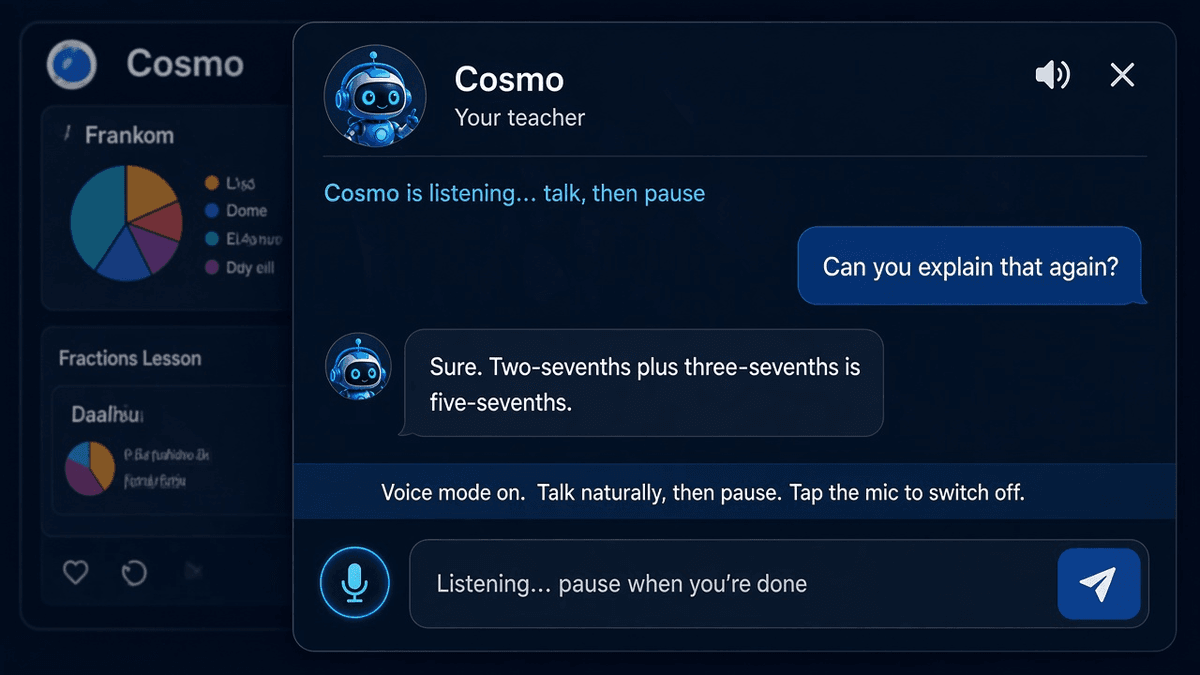
So Google is going to start changing the way we search even further as they roll out Search Live with video input so you can chat with your camera feed in real time. This new feature, brings seamless visual search to your phone.
Key Takeaways
Google’s mobile Search Live now accepts live video input for AI-powered context.
Users tap the Live icon in the Google app to start a visual conversation.
New multimodal desktop support for images and upcoming PDF uploads.
Canvas tool aids project planning with side-panel, multi-session layouts.
Chrome integration adds an “Ask Google about this page” prompt.
Features roll out July 29–30, 2025 for U.S. AI Mode Labs users.
Back-to-school timing targets students, educators, and productivity seekers.
Google Search Live: a closer look
When Google demoed Search Live at I/O in May, we saw audio-only chats. Now the U.S. mobile pilot takes a leap. It uses Google Lens plus Project Astra to interpret moving objects, angles, even diagrams in real time.
To give it a go, open the Google app, tap the Live icon, and point your camera at whatever you want. From then on, you talk to Search as if you’re narrating a behind-the-scenes show.
How video-based search works
Video input means Search Live doesn’t need text prompts to guess what you see. It analyzes each frame, noting colours, shapes, motion, and context. It’s like having a visual detective stitch together clues on the fly.
Imagine scanning a broken bicycle chain. You can rotate the wheel, zoom in, and ask why one link is bent. Google’s AI-powered response will reference what it “sees,” giving you practical fixes or replacement advice.
Expanded multimodal input for deeper answers
This update isn’t just for live video. Desktop users now have image upload support, and PDF uploads arrive in a few weeks. By cross-referencing lecture slides or recipes with web data, AI Mode can offer structured responses with verifiable links.
Visualize dropping a syllabus PDF into the search box, then asking for a study plan. In seconds, you get an outline with assignments mapped to calendar dates—no more toggling tabs or copying text by hand.
For guided blog creation, you might explore the Blog Writer tool. It can help refine your content once Search Live extracts key ideas from uploaded files.
Canvas planning tool for project workflows
Canvas shows up in the AI Mode sidebar on desktop. It’s perfect for building multi-session projects like trip itineraries or study guides. You click “Create Canvas” when asking for a structured plan, and it lays out steps you can revisit.
Think of Canvas like a digital whiteboard that remembers your last session. You can come back days later and ask, “What was step three again?” without starting from scratch. It makes planning feel conversational, not transactional.
Chrome integration for seamless browsing
Google is also weaving AI Mode into Chrome. You’ll see an “Ask Google about this page” option in the address bar. Highlight a chart or a paragraph and click “Dive deeper” to summon a quick AI overview.
This integration means you no longer leave the page you’re on. Instead of copying text into a new tab, you get instant context. It’s like having a search assistant peek over your shoulder.
Comparison of search modes

Mode | Input type | Best for |
|---|---|---|
Audio-only Search Live | Voice commands | Hands-free queries on the go |
Video-based Search Live | Real-time camera feed | Visual context and moving objects |
Image upload on desktop | Static images | Photos, diagrams, screenshots |
PDF upload | Documents | Slides, reports (coming soon) |
Who benefits most from visual reasoning
Students can scan textbook pages, ask for summaries, and plan essay outlines without typing long excerpts. Educators can use live demos to illustrate complex diagrams in class. It’s like having a smart whiteboard assistant.
Busy parents might identify ingredients in the fridge for dinner suggestions. Gardeners can pinpoint plant species on the fly, while hobbyists troubleshoot broken gear. It brings hands-on tasks into the digital conversation.
Easy scanning use cases
Point and identify: Plants, landmarks, or appliances get instant labels.
Real-time troubleshooting: Show a mechanical part and ask how to fix it.
On-the-spot learning: Capture math equations or foreign words for live explanations.
Project planning: Upload blueprints or menus for structured feedback.
Rollout details and timing

The video input feature launched in the U.S. on July 29–30, 2025, for Google One AI Premium Labs users. Desktop image support is live now, and PDF uploads will follow in the coming weeks. If you’re itching to test AI Mode’s newest toys, sign up to join the Labs pilot.
Next up? Broader AI Mode access, including in the UK, and deeper integrations with Gmail, Drive, and future shopping agents. Google’s pushing agentic AI with tools that actually do the work while you steer the process.
Looking ahead with agentic AI
This rollout hints at Google’s bigger vision: AI assistants that plan, research, and potentially make purchases or bookings. Picture saying, “Book me a sunset sail in San Diego next weekend,” and having the AI handle dates, payments, and confirmations.
These features keep you in control with transparent verification links. If you need to check a source, AI Mode points you straight to supporting pages, no more blind trust in a black box.
As we watch multimodal search evolve, remember that mastering these tools gives you a real edge whether you’re studying for exams, running a business, or simply exploring new hobbies. Give Search Live with video input a whirl—you might never look back.
Ready to boost your search game? Reach out with questions or share your experience by getting in touch on our contact page. We’d love to hear how video input changes the way you search.